
The process to update your registered mobile number or email address on the GST portal is simple. There are two methods to make these changes, depending on how many authorised signatories your business has.
When the authorised signatory is the same as the partner or promoter:
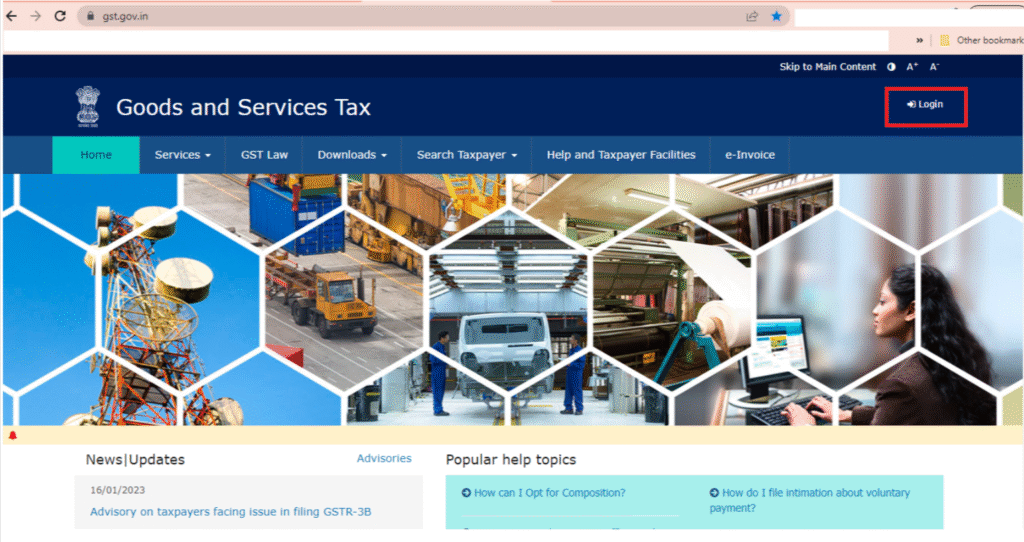
Step 1: Log in to the GST portal and navigate to:
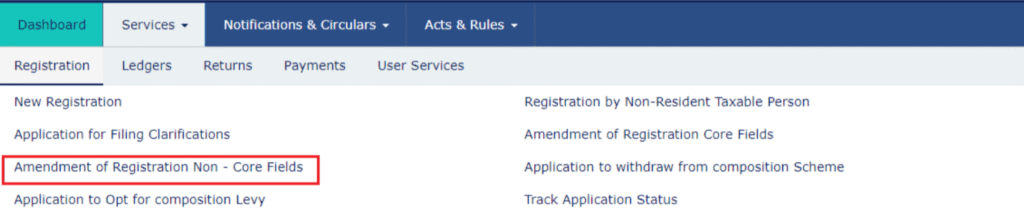
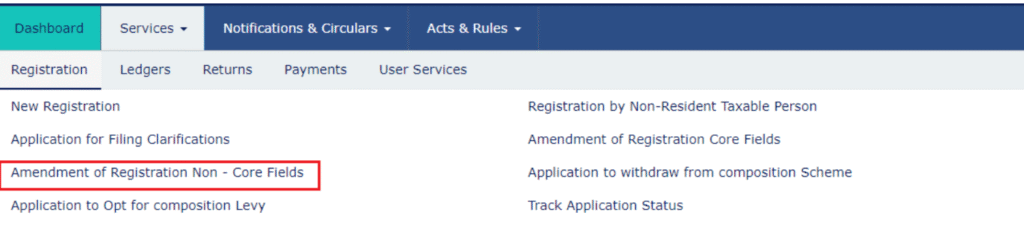
Services → Registration → Amendment of Registration (Non-core Fields).
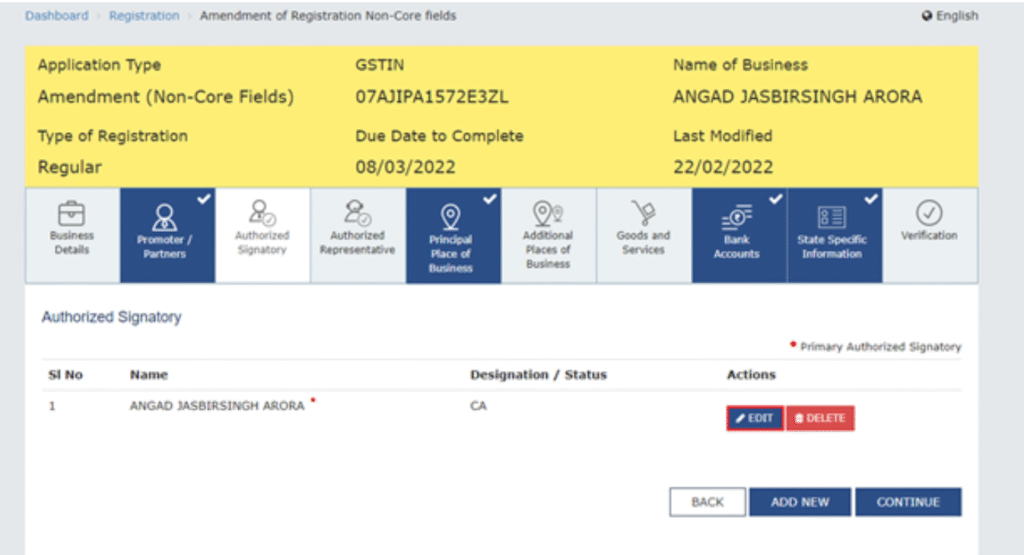
Step 2: Go to the ‘Promoter/Partners’ tab. Then click on the ‘Edit’ button under the ‘Actions’ section next to the authorised signatory whose details you want to update.
Step 3: Enter the new mobile number or email address, as required, and then click on ‘Save’.
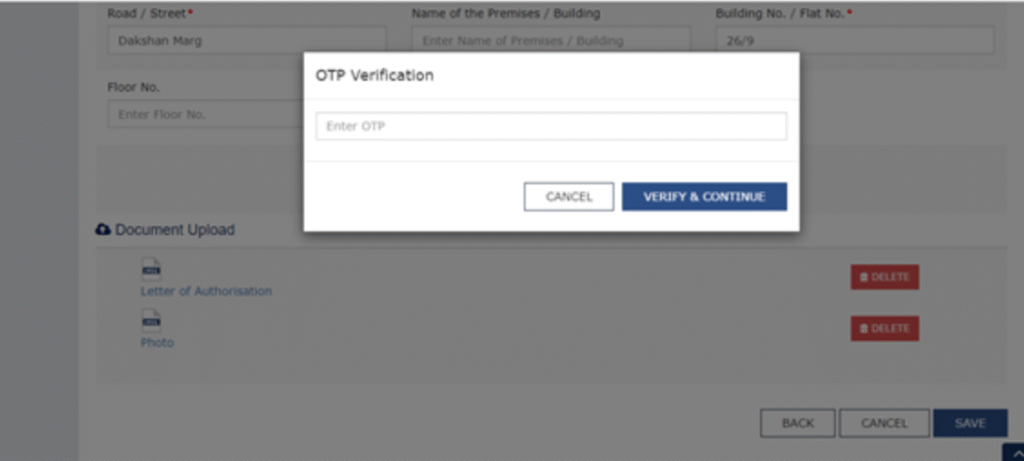
Step 4: You will receive OTPs on the new mobile number and email address. Enter these OTPs to verify. Once verified, the changes will be updated successfully.
Step 5: Go to the ‘Step 5: Go to the ‘Verification’ tab. Fill in the required details, tick the declaration checkbox, and submit the form using DSC, E-signature, or EVC.
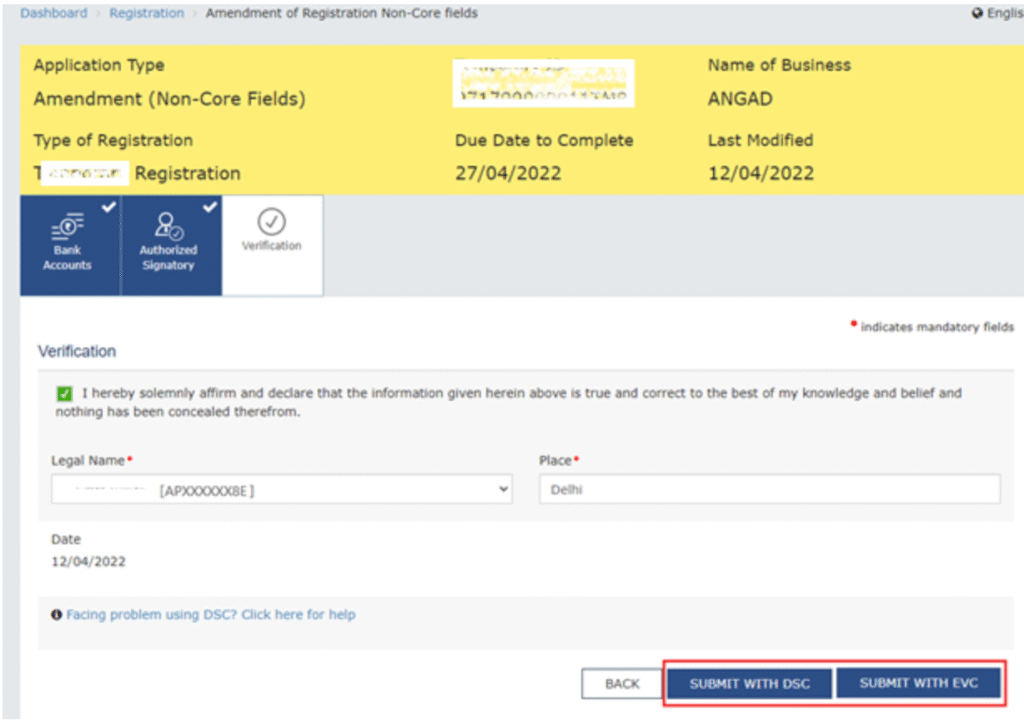
Note: If you choose the EVC option, an OTP will be sent to the updated mobile number. Enter this OTP to complete the verification.
Step 6: After submitting the form, you will receive a confirmation message along with an ARN number to track your application status. Once you see the status ‘Changes Approved’, it means your mobile number and email ID have been updated successfully.
When the authorised signatory is different from the promoter or there are multiple authorised signatories:
Step 1: Log in to the GST portal and go to:
Services → Registration → Amendment of Registration (Non-core Fields).
Step 2: Go to the ‘Authorised Signatory’ tab and click on the ‘Add New’ button.
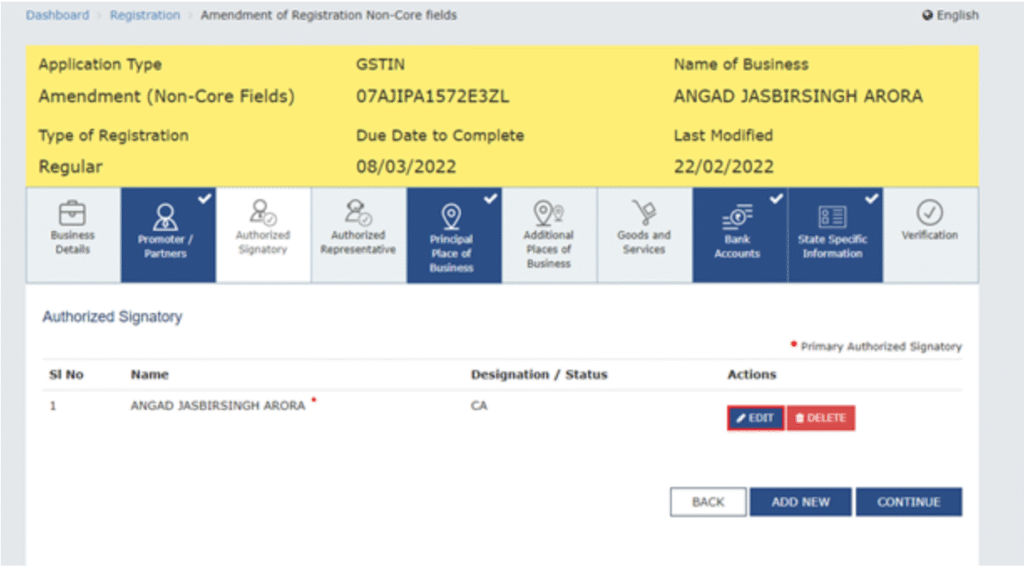
Step 3: Enter the details of the new authorised signatory whose mobile number and email address you want to register, then click on ‘Save’.
Step 4: Go to the ‘Verification’ tab, fill in the required details, tick the declaration checkbox, and submit the form using DSC, E-signature, or EVC.
Step 5: Wait for about 15 minutes, then log in again to the GST portal and go to:
Services → Registration → Amendment of Registration (Non-core Fields).
Step 6: Open the ‘Authorised Signatory’ tab and remove the previous person as the primary authorised signatory.
Step 7: Select the new authorised signatory as the primary one. Check that the mobile number and email ID are correct. You will receive an OTP for verification.
Step 8: Enter the OTP and complete the verification process.
Step 9: After submission, you will receive a confirmation message with an ARN number to track your application. Once the status shows ‘Changes Approved’, your mobile number and email ID will be updated successfully.
FAQs – Change Mobile Number or Email ID on GST Portal
1. Can I change my registered mobile number and email ID on the GST portal?
Yes, you can update both your mobile number and email ID through the GST portal under the amendment of registration (non-core fields).
2. Is it mandatory to verify the new mobile number and email ID?
Yes, OTP verification is required on both the new mobile number and email ID to complete the update process.
3. What is ARN in GST?
ARN (Application Reference Number) is a unique number generated after submitting the amendment form. It helps you track the status of your application.
4. How long does it take to update mobile number or email ID on GST?
Once submitted and approved, the changes are usually updated within a few working days.
5. Can I update details if I have multiple authorised signatories?
Yes, in such cases, you may need to add a new authorised signatory and make them primary to update the contact details.
6. Do I need DSC to update mobile number or email ID?
You can submit the request using DSC, E-signature, or EVC, depending on your preference and eligibility.
7. What happens if I enter the wrong OTP?
If you enter the wrong OTP, the verification will fail, and you will need to request a new OTP to proceed.
8. Can I track the status of my request?
Yes, you can track the status using the ARN on the GST portal.
9. Is there any fee for updating mobile number or email ID on GST?
No, there is no fee for updating these details on the GST portal.
10. What should I do if the changes are not approved?
You should check the reason for rejection, correct the details if required, and resubmit the amendment application.